Clean up resources
To delete the resources we created during this lab, we will do the following.
Delete the SFTP Server
- Open the AWS Transfer Family console.
- Select *Servers on the left panel.
- Select the SFTP Server.
- Click Actions
- Click Delete
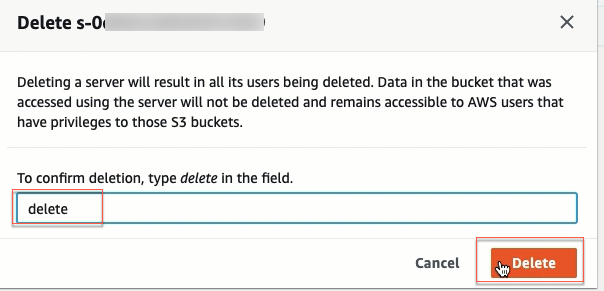
 Type in delete and then click Delete.
Delete AWS IAM Role and Policy
- Open the Amazon IAM console
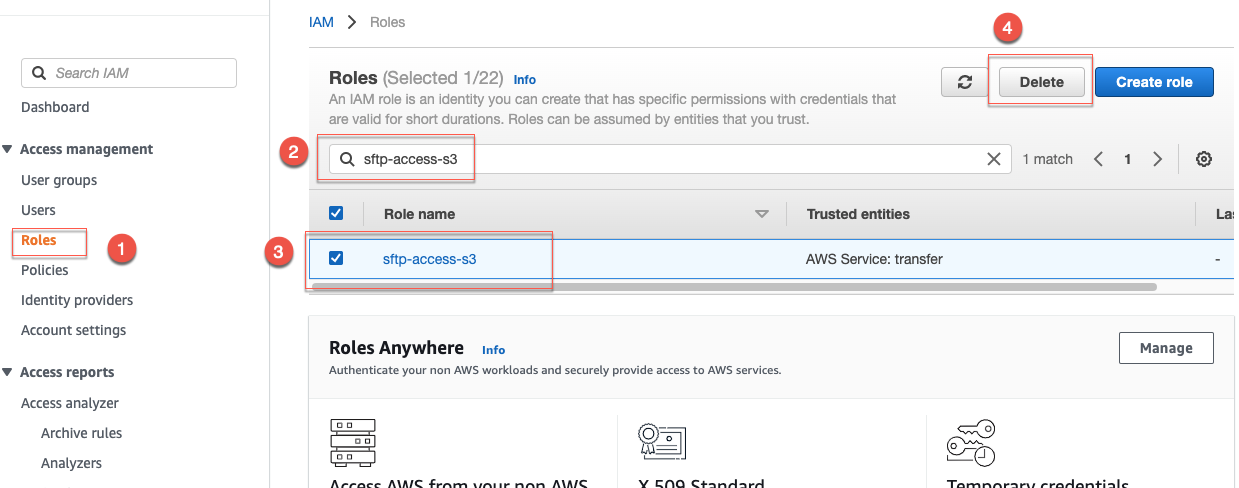
- On the left panel, select Roles
- Search for and select sftp-access-s3
- Click Delete.
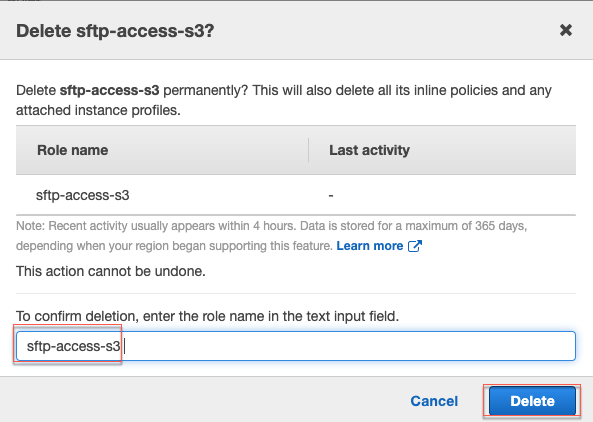
 Type in sftp-access-s3 and then click Delete.
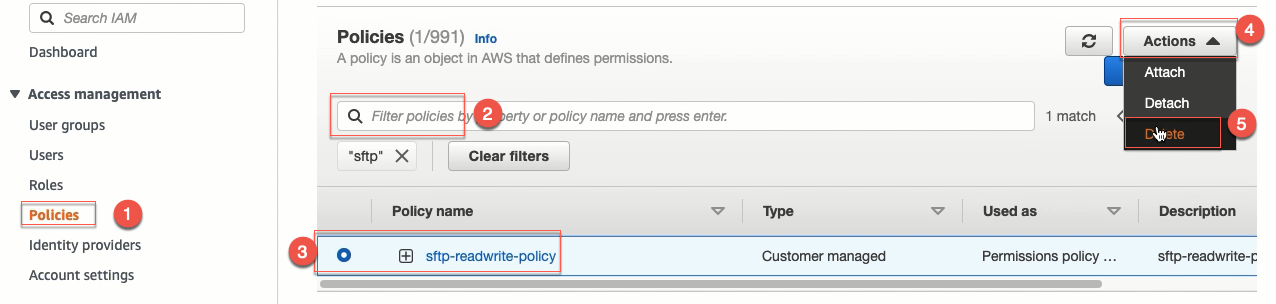
- On the left panel:
- Select Policies
- Search for and select sftp-readwrite-policy
- Click Action and then click Delete.
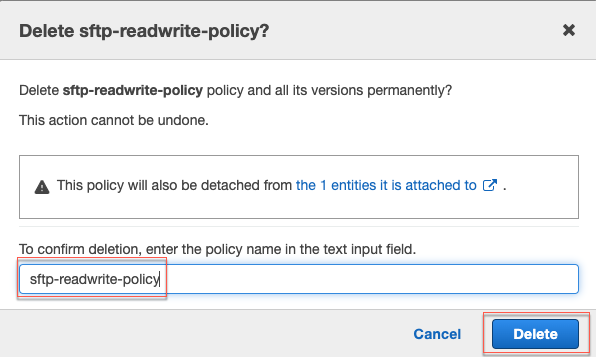
 Type in sftp-readwrite-policy and then click Delete.
Delete the S3 bucket
- Open the Amazon S3 console. Select the S3 bucket, click Delete.
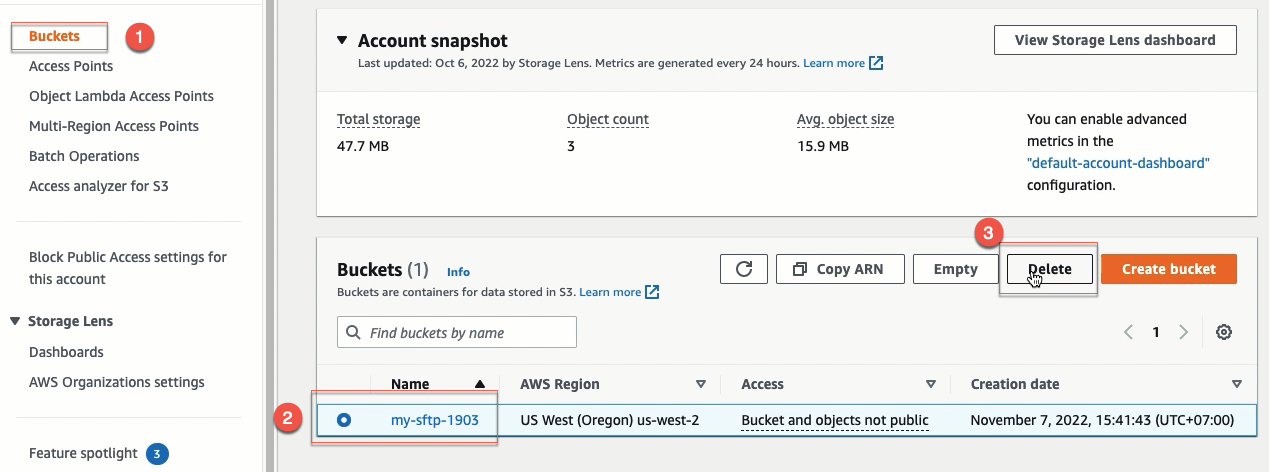
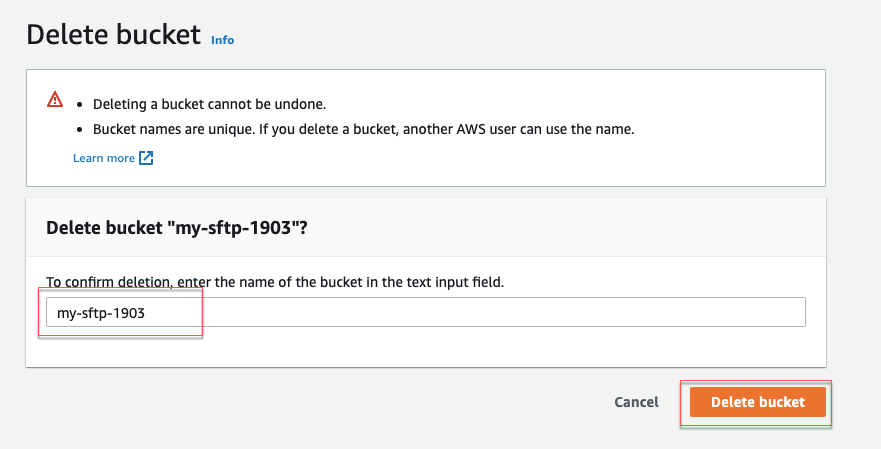
- Type your S3 bucket name and click Delete bucket.